
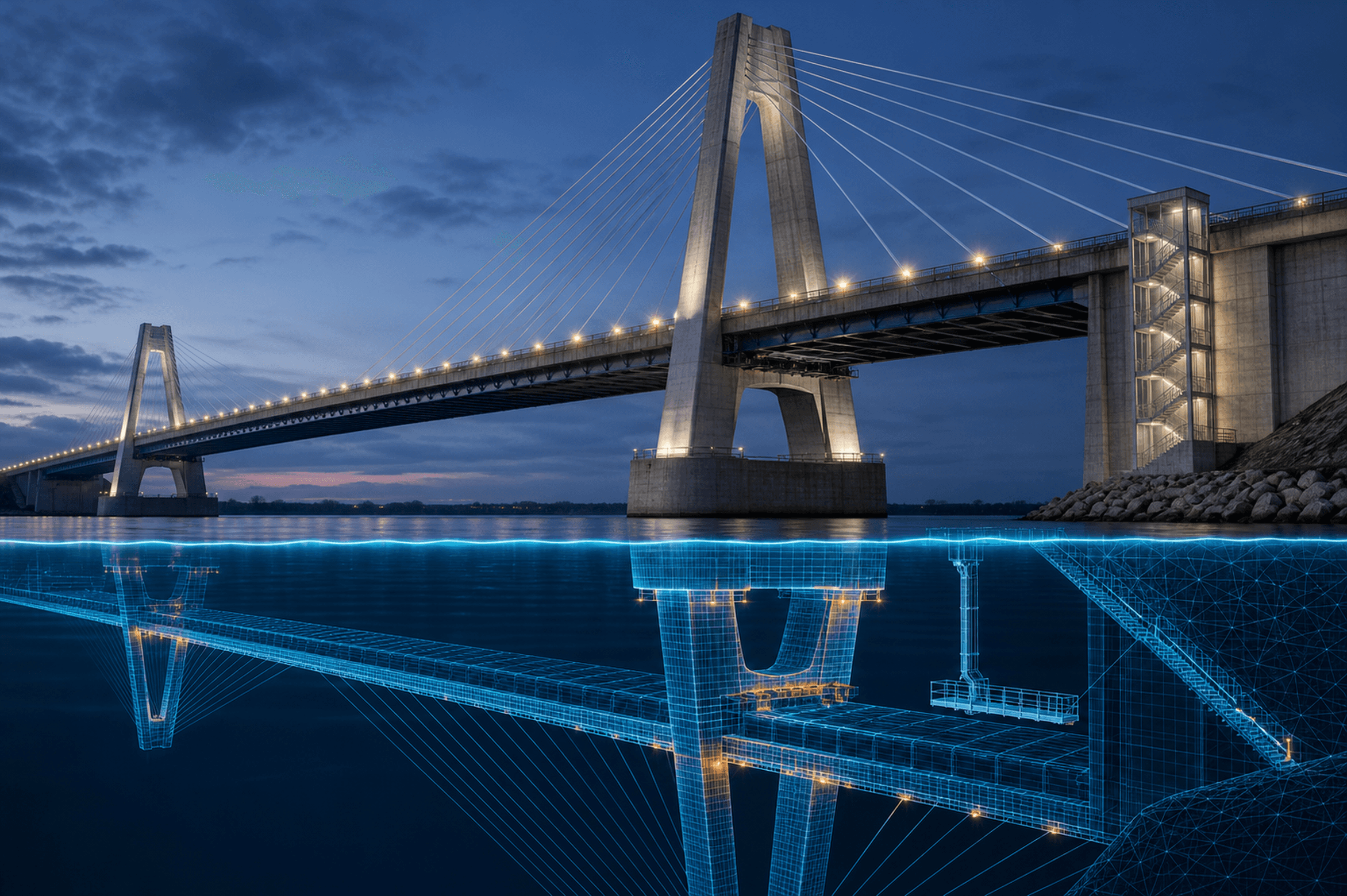
A digital twin for emergency training is a digital representation of a real place, system or operation used to rehearse decisions and interactions in context. It adds value when the learning objective depends on site layout, access, visibility, movement, equipment location or the relationship between facilities. It adds little when a generic map or interface can produce the same decisions more simply.
The term “digital twin” is used broadly. Some twins exchange live data with the physical system; others are detailed models updated periodically. For training, be precise about what the representation contains, how current it is and what participants may safely infer from it.
What makes a training model a digital twin?
A useful training twin has a defined real-world counterpart and preserves the features needed by the objective. That may include rooms, roads, gates, terrain, utility assets, cameras, staging areas or communication zones. It does not need to reproduce every surface or operational data feed.
The important characteristic is purposeful correspondence. If a model uses a real campus layout but generic furniture, say so. If door access or sensor states are simulated rather than live, make that visible. Fidelity should be documented rather than implied by visual realism.
Where site specificity adds value
Site context can materially change decisions about:
evacuation and shelter routes;
responder or partner access;
staging and resource placement;
visibility and line of sight;
movement between buildings or operational zones;
alternative work locations;
facilities dependencies and isolation points;
how teams build and communicate a common operating picture.
For example, a generic discussion can confirm who approves an evacuation. A site-specific model can help the team explore how construction, congestion, mobility needs or a closed access point affect the chosen route. The two activities address related but different questions.
When a simpler representation is better
A digital twin is unnecessary when physical context does not influence the target performance. An EOC team practicing information validation may need message traffic, policies and a status board—not a three-dimensional building. A new staff member learning an escalation pathway may benefit from a browser simulation with realistic decisions but no spatial model.
Choose the lowest level of complexity that still produces credible performance. Every additional feature introduces work: data collection, modelling, validation, updates, device testing and facilitator preparation.
Decide the required fidelity
Break fidelity into separate dimensions instead of calling a model “high fidelity” overall:
Dimension | Planning question |
|---|---|
Geometric | Which distances, routes, levels and clearances must be accurate? |
Visual | Which landmarks must users recognize? |
Functional | Which doors, systems, controls or resources must behave? |
Informational | Which labels, status data and documents must be available? |
Temporal | How current must the model be, and how will changes be tracked? |
Social | Which roles must interact, and through what channels? |
A model can be visually simple but functionally strong. It can also look convincing while representing access, scale or equipment behavior incorrectly. Validation should focus on the dimensions that influence decisions.
Build a defensible data and maintenance process
Identify the owner of each source: floor plans, GIS data, photographs, equipment inventories, emergency plans or operational systems. Record when data was obtained and any transformation applied. Before training, have facilities and operational staff review critical features.
Establish a change process. Renovations, temporary closures, new access controls and revised staging areas can make a model misleading. A visible “valid as of” date and a short limitations note help participants understand what the model can support.
Security and privacy also matter. A detailed representation of a sensitive site should be stored, shared and displayed according to the organization's information-handling rules. Include only the detail needed for the training objective.
Design the exercise around decisions
A digital twin is the environment, not the learning design. Give participants a role, objective, information and decisions to make. Add changes that interact with the site—an unavailable route, a damaged asset, congestion, loss of power or a partner arriving at an unexpected location. Record what participants noticed, how they communicated it and how their plan changed.
Follow with a debrief that separates model issues from organizational issues. Did a participant miss a cue because the interface was unclear, because the underlying data was wrong, or because the plan assigned no one to monitor it? Each cause leads to a different improvement.
A practical decision test
Use a digital twin when all four statements are true:
The objective depends materially on a real place or system.
The necessary data can be obtained and validated.
The model can be maintained at the required level.
The added context justifies the cost and complexity compared with a map, tabletop or generic simulation.
When those conditions are absent, a simpler method is not a compromise. It is better instructional design.
Sources
NIST Digital Twins: https://www.nist.gov/el/intelligent-systems-division-73500/digital-twins
NIST Public Safety Immersive Test Center: https://www.nist.gov/ctl/pscr/about/public-safety-immersive-test-center
FEMA Homeland Security Exercise and Evaluation Program: https://training.fema.gov/programs/nsec/hseep/
US Department of Education Emergency Planning: https://www.ed.gov/teaching-and-administration/safe-learning-environments/school-safety-and-security/emergency-planning
Continue the conversation
Every training environment has different constraints. If you are working through how to make scenarios more repeatable, measurable, or accessible, share your training challenge with us.
A digital twin for emergency training is a digital representation of a real place, system or operation used to rehearse decisions and interactions in context. It adds value when the learning objective depends on site layout, access, visibility, movement, equipment location or the relationship between facilities. It adds little when a generic map or interface can produce the same decisions more simply.
The term “digital twin” is used broadly. Some twins exchange live data with the physical system; others are detailed models updated periodically. For training, be precise about what the representation contains, how current it is and what participants may safely infer from it.
What makes a training model a digital twin?
A useful training twin has a defined real-world counterpart and preserves the features needed by the objective. That may include rooms, roads, gates, terrain, utility assets, cameras, staging areas or communication zones. It does not need to reproduce every surface or operational data feed.
The important characteristic is purposeful correspondence. If a model uses a real campus layout but generic furniture, say so. If door access or sensor states are simulated rather than live, make that visible. Fidelity should be documented rather than implied by visual realism.
Where site specificity adds value
Site context can materially change decisions about:
evacuation and shelter routes;
responder or partner access;
staging and resource placement;
visibility and line of sight;
movement between buildings or operational zones;
alternative work locations;
facilities dependencies and isolation points;
how teams build and communicate a common operating picture.
For example, a generic discussion can confirm who approves an evacuation. A site-specific model can help the team explore how construction, congestion, mobility needs or a closed access point affect the chosen route. The two activities address related but different questions.
When a simpler representation is better
A digital twin is unnecessary when physical context does not influence the target performance. An EOC team practicing information validation may need message traffic, policies and a status board—not a three-dimensional building. A new staff member learning an escalation pathway may benefit from a browser simulation with realistic decisions but no spatial model.
Choose the lowest level of complexity that still produces credible performance. Every additional feature introduces work: data collection, modelling, validation, updates, device testing and facilitator preparation.
Decide the required fidelity
Break fidelity into separate dimensions instead of calling a model “high fidelity” overall:
Dimension | Planning question |
|---|---|
Geometric | Which distances, routes, levels and clearances must be accurate? |
Visual | Which landmarks must users recognize? |
Functional | Which doors, systems, controls or resources must behave? |
Informational | Which labels, status data and documents must be available? |
Temporal | How current must the model be, and how will changes be tracked? |
Social | Which roles must interact, and through what channels? |
A model can be visually simple but functionally strong. It can also look convincing while representing access, scale or equipment behavior incorrectly. Validation should focus on the dimensions that influence decisions.
Build a defensible data and maintenance process
Identify the owner of each source: floor plans, GIS data, photographs, equipment inventories, emergency plans or operational systems. Record when data was obtained and any transformation applied. Before training, have facilities and operational staff review critical features.
Establish a change process. Renovations, temporary closures, new access controls and revised staging areas can make a model misleading. A visible “valid as of” date and a short limitations note help participants understand what the model can support.
Security and privacy also matter. A detailed representation of a sensitive site should be stored, shared and displayed according to the organization's information-handling rules. Include only the detail needed for the training objective.
Design the exercise around decisions
A digital twin is the environment, not the learning design. Give participants a role, objective, information and decisions to make. Add changes that interact with the site—an unavailable route, a damaged asset, congestion, loss of power or a partner arriving at an unexpected location. Record what participants noticed, how they communicated it and how their plan changed.
Follow with a debrief that separates model issues from organizational issues. Did a participant miss a cue because the interface was unclear, because the underlying data was wrong, or because the plan assigned no one to monitor it? Each cause leads to a different improvement.
A practical decision test
Use a digital twin when all four statements are true:
The objective depends materially on a real place or system.
The necessary data can be obtained and validated.
The model can be maintained at the required level.
The added context justifies the cost and complexity compared with a map, tabletop or generic simulation.
When those conditions are absent, a simpler method is not a compromise. It is better instructional design.
Sources
NIST Digital Twins: https://www.nist.gov/el/intelligent-systems-division-73500/digital-twins
NIST Public Safety Immersive Test Center: https://www.nist.gov/ctl/pscr/about/public-safety-immersive-test-center
FEMA Homeland Security Exercise and Evaluation Program: https://training.fema.gov/programs/nsec/hseep/
US Department of Education Emergency Planning: https://www.ed.gov/teaching-and-administration/safe-learning-environments/school-safety-and-security/emergency-planning
Continue the conversation
Every training environment has different constraints. If you are working through how to make scenarios more repeatable, measurable, or accessible, share your training challenge with us.